
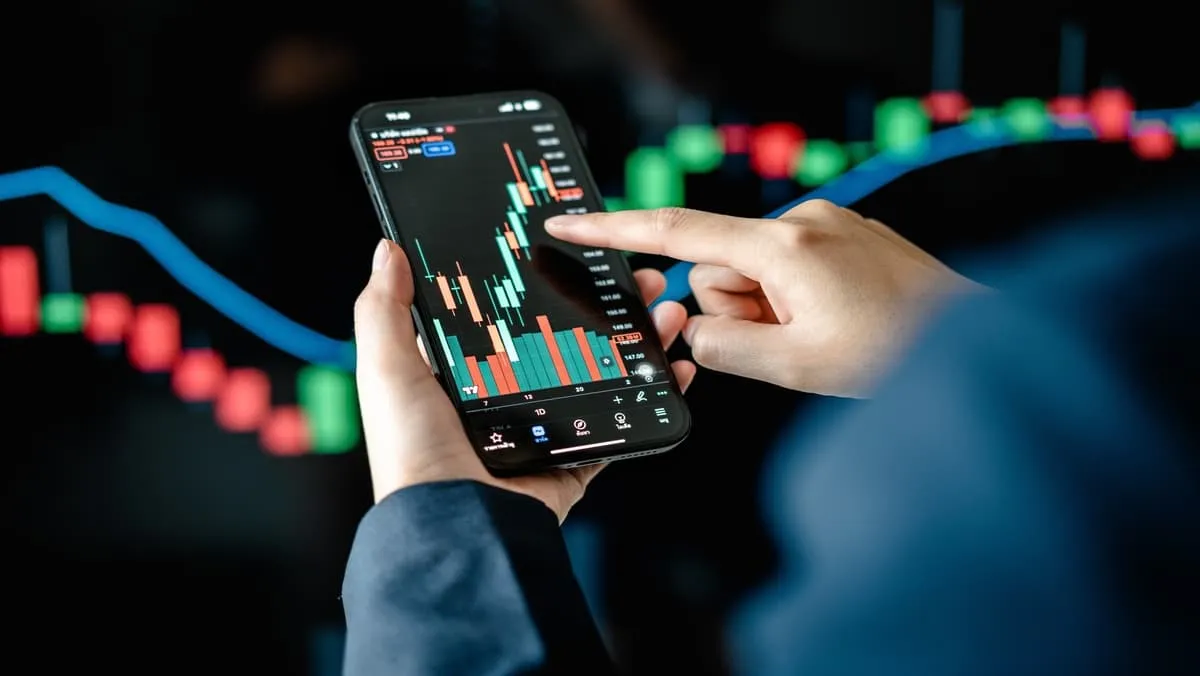
A Broking App gives investors and traders digital access to financial markets through a mobile or web-based interface. It can help users view market prices, place orders, monitor holdings and review account activity from one place.
However, choosing a platform only because it looks simple or offers attractive pricing may not be enough. Users should also examine execution quality, security, charges, research tools, account reporting and customer support.
The right platform depends on how a person uses the market. A long-term investor may need clear holdings and portfolio reports, while an active trader may care more about execution, market depth and position monitoring.
Identify Your Main Investment or Trading Needs
Before comparing broking apps, identify the activities you expect to perform most often. These may include long-term equity investing, intraday trading, futures and options, ETF investing, IPO applications, or portfolio tracking. The features that matter most will depend on your investment goals and trading approach.
Long-term investors may prioritise holdings information, company research, portfolio reports, corporate announcements, and easy account administration. Active traders may place greater importance on fast order entry, market depth, real-time position monitoring, charts, and margin information. Comparing features according to actual usage can help users choose a platform that suits their requirements.
Evaluate the Order Placement Experience
A good broking app should make the order placement process clear and easy to follow. Before submitting an order, users should be able to verify the security name, quantity, price, order type, product type, available funds, and applicable charges where displayed.
Order status visibility is equally important. An order may be completed, partially executed, pending, cancelled, or rejected. Clear status updates help users understand whether a transaction has been executed and whether further action may be required.
Understand Order Types and Market Liquidity
Market and limit orders offer different approaches to execution. A market order generally seeks execution at available market prices, while a limit order lets users specify an acceptable price. However, execution depends on market conditions and available liquidity.
In highly liquid securities, orders may be easier to execute. Less liquid instruments can have wider bid-ask spreads, increasing the difference between the expected and actual execution price. Understanding liquidity before selecting an order type can help users make more informed decisions.
Compare the Complete Cost Structure
Brokerage is only one component of trading costs. Depending on the product and transaction, users may also pay exchange-related charges, taxes, statutory levies, account maintenance charges, and other service fees.
Rather than comparing only advertised brokerage rates, users should estimate the total cost based on their expected activity. Frequent traders may benefit from calculating the likely monthly cost of their transactions, while long-term investors may focus more on account maintenance and occasional transaction charges.
Evaluate Market Data and Research Tools
Broking apps may offer watchlists, charts, company data, screeners, price alerts, corporate announcements, and market indices. These features can help users monitor securities and review relevant information.
However, the usefulness of research tools depends on how well they support the user’s strategy. Beginners may find platforms with too many indicators or complex data difficult to navigate. Choosing a broking app with relevant, understandable tools can be more useful than selecting one simply because it offers more features.
Review Derivatives Access Carefully
Around the middle of the platform comparison, users interested in derivatives may examine FnO features such as contract search, options chains, margin information and position tracking.
Derivatives can involve leverage and complex payoff structures, so convenient access should not be confused with lower risk.
Understand Contract Details Before Trading
Users should know:
- Expiry date
- Contract size
- Strike price
- Premium
- Margin requirements
- Settlement conditions
These details can materially affect the risk of the position.
Evaluate Charting Tools
Charts may be useful for traders who analyse historical price movement.
Features can include:
- Multiple timeframes
- Volume
- Moving averages
- Momentum indicators
- Drawing tools
Indicators Are Not Guaranteed Signals
Technical indicators are based on historical market information.
They can help organise price data, but they do not predict future movement with certainty.
Users should avoid relying on one indicator without considering broader market conditions.
Check Portfolio And Holdings Information
Investors need a clear view of what they currently own.
A useful holdings section may display:
- Security name
- Quantity
- Average cost
- Current value
- Gain or loss
- Transaction history
Avoid Reacting To Every Daily Change
Constantly checking portfolio movement can encourage emotional decisions.
Long-term investors may find periodic reviews more useful than reacting to routine daily volatility.
The focus should remain on whether the investment thesis, financial goal or risk profile has changed.
Examine Platform Security
Financial applications handle sensitive information and provide access to financial accounts.
Security should therefore be one of the main selection criteria.
Useful features may include:
- Multi-factor authentication
- Device verification
- Login alerts
- Transaction notifications
- Session controls
- Secure password requirements
User Behaviour Also Matters
Users should never share passwords, PINs or verification codes.
Suspicious messages requesting urgent account access should be independently verified through official support channels.
Applications should be downloaded only from legitimate sources.
Review Platform Reliability
Market activity can become highly time-sensitive during volatile periods.
Users should consider whether the app consistently allows them to access:
- Orders
- Positions
- Holdings
- Funds
- Account reports
Know The Backup Support Process
Technical interruptions can occur on any digital platform.
Users should know how to contact support or access alternative channels if they face a problem during market hours.
This can be particularly important for active traders managing open positions.
Check Reporting And Statements
Reports help users understand both current and historical activity.
A good Broking App may provide:
- Order history
- Trade book
- Holdings statements
- Profit and loss reports
- Charge summaries
- Tax-related records
Reports Can Improve Decision Review
A trader can use historical records to see whether frequent transactions are actually profitable after costs.
Long-term investors can use reports to maintain organised account information and review portfolio activity.
Consider Customer Support
Support becomes important when users face issues related to accounts, transactions or funds.
Available channels may include:
- Phone
- In-app tickets
- Help centres
- Chat support
Look For A Clear Escalation Process
Users should understand how unresolved issues are handled.
A transparent complaint or escalation process can improve confidence in the overall service experience.
Avoid Overtrading Because The App Is Convenient
Simple interfaces can make placing orders extremely easy.
This convenience can also encourage unnecessary activity.
More Transactions Can Increase Risk
Frequent trading may lead to:
- Higher transaction costs
- More emotional decisions
- Greater exposure to volatility
- Increased execution mistakes
Trading activity should be based on a defined strategy rather than on ease of access.
Separate Long-Term Investing From Derivatives Trading
A single platform may provide access to many market products.
Someone using Option Trading should treat derivatives as a distinct activity from long-term investing because options involve expiry, volatility and contract-specific risks.
The same decision framework should not automatically be used for both.
Conclusion
A Broking App should be evaluated on more than brokerage or visual design.
Users should compare order execution, charges, security, market data, reporting, support and platform reliability. They should also consider whether the available tools match their actual investment or trading strategy.
A good platform can make market access more convenient, but it cannot replace research or disciplined risk management.
The most useful choice is one that supports clear decisions, transparent costs and secure account management over time.
FAQs
1. What Is The Main Purpose Of A Broking Platform?
It provides digital access to market information, order placement, holdings and account-related services.
2. Why Should Users Check Total Trading Costs?
Brokerage is only one component, and additional taxes, fees and statutory charges may apply.
3. Are Advanced Charting Tools Necessary For Everyone?
No, their usefulness depends on the user’s strategy and level of trading activity.
4. Why Is Platform Security Important?
The platform provides access to sensitive financial information and investment accounts.
5. Can A Broking Platform Be Used For Long-Term Investing?
Yes, depending on the services provided, users may manage holdings and portfolio information alongside trading activity.